How to Check Backlinks Status: A Simple Guide for SEO Beginners
Introduction: Your Backlinks Are Working Against You (And You Don't Know It)
You've built backlinks. Maybe you wrote guest posts, submitted your site to directories like G2 and Capterra, or invested in paid placements on high-authority websites.
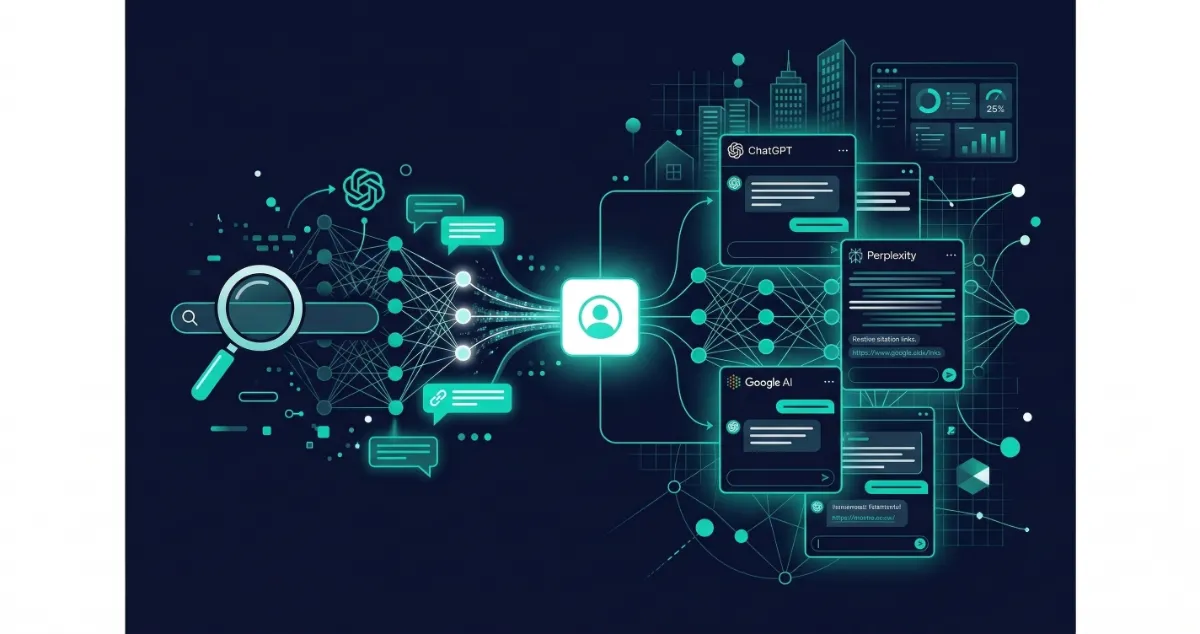
Those backlinks are supposed to boost your rankings and help AI tools like ChatGPT and Perplexity discover your brand.
But here's the uncomfortable truth most SEO beginners never hear:
Backlinks disappear. Silently. Without warning.
A site removes your link. A publisher's CMS update switches your dofollow link to nofollow overnight. A directory profile goes stale. And you only find out weeks sometimes months later, when your rankings have already taken the hit.
At LynkDog, we built our entire product around this problem. Our users marketing teams, SEO managers, and agency owners kept losing paid backlinks with zero visibility into what was happening. By the time they noticed, the damage was done.
This guide is for anyone who wants to stop flying blind.
By the end, you will know:
What backlink status actually means (and what changes it)
How to check backlinks status step by step free and paid methods
How to read and act on what you find
How to protect your link profile automatically going forward
Why backlink monitoring is now critical for AI search visibility (AEO & GEO)
Let's start at the beginning.
Chapter 1: What Is a Backlink and Why Does Its Status Matter?
A backlink is a link on another website that points to yours. When a reputable site links to you, search engines treat it as a signal that your content is trustworthy and rank you accordingly.
But what most beginners miss is this: backlinks are not permanent assets. They are living, changeable things.
The status of a backlink refers to its current condition at any given moment:
Is the link still on the page?
Is it dofollow (passing SEO value) or nofollow (not passing value)?
Has the anchor text been changed?
Is the linking page still accessible and indexed?
Is the link pointing to the right page on your site?
Each of these can change at any time and each change directly affects how much SEO value that link passes to your website.
The 7 Most Common Reasons Backlink Status Changes
Understanding why status changes helps you know where to look and how to prevent it.
1. The publisher removes the link Websites evolve constantly. A blogger rewrites an article and decides your link no longer fits. A business removes a sponsored post when the campaign period ends. A site migration wipes out entire pages. The link is gone and nobody tells you.
2. The rel attribute silently changes A dofollow link passes SEO authority what the industry calls "link juice" from the linking site to yours. A nofollow link does not. Publishers sometimes update their CMS settings and accidentally (or deliberately) change your dofollow link to nofollow. The link still appears live. You'd never know anything was wrong unless you were looking at the HTML.
3. The linking page gets deleted or redirected If the specific page containing your link gets deleted, your backlink ceases to exist. If it gets redirected to a different URL, your link may or may not be preserved depending on how the redirect was handled.
4. The site goes offline Smaller blogs, niche media sites, and startup websites go offline all the time. Hosting lapses. Domains expire. Sites get hacked. When a site goes down, every backlink it ever gave you becomes worthless.
5. Anchor text gets changed The clickable text of your link called anchor text signals to search engines which keywords you should rank for. If a publisher edits their content and changes your anchor text from your target keyword to something generic like "click here," your link loses relevance for the terms you care about.
6. Your destination URL changes If you restructure your website and forget to set up proper redirects, backlinks that used to point to valid pages may now hit a 404 error destroying the link's value completely.
7. The linking page gets deindexed Even if a link is technically live and dofollow, if Google has deindexed the page hosting it, the link passes zero SEO value. A page can look perfectly normal to a human visitor while being completely invisible to search engines.
Chapter 2: What Happens When You Stop Checking Backlinks Status
Most people build links and forget about them. They assume that if a link was live last month, it's still live today.
This is one of the most expensive assumptions in SEO.
Here's what the data tells us at LynkDog:
~27% of paid backlinks disappear within 12 months.
That means if you spent $10,000 on link building this year, approximately $2,700 worth of that investment could be silently gone by next year with no notification, no refund, and no warning.
Here's what ignoring backlink status costs you:
Rankings Drop With No Clear Cause
When several backlinks disappear or change to nofollow simultaneously, your domain authority can drop noticeably. Without knowing which links were lost, diagnosing the drop is nearly impossible. You end up throwing more budget at new links to compensate without fixing the real problem.
You Lose ROI on Paid Placements
Paid link placements are expensive. A single placement on a high-DR website can cost hundreds or thousands of dollars. If that link disappears after 60 days and you don't catch it, you've burned your budget with nothing to show for it.
You Miss the Window to Reclaim
Most publishers will reinstate a removed link if you contact them promptly. That window is narrow usually 30 to 60 days before their content gets rewritten, archived, or forgotten. The longer you wait, the harder reclamation becomes.
Your AI Visibility Erodes
In 2026, this is the new dimension of the problem. LLMs like ChatGPT, Perplexity, and Gemini build their understanding of your brand from the web's link graph. When your links on authoritative sites disappear or your directory profiles go stale, AI tools have fewer signals to associate your brand with your category and you get recommended less in AI-generated answers.
We'll cover this in depth in Chapter 6. For now, understand that losing backlinks in 2026 doesn't just hurt your Google rankings it hurts how often AI recommends your brand to potential buyers.
Chapter 3: The 6 Backlink Status Indicators Every Beginner Must Know
Before you start checking, you need to know what you're looking for. Here are the six key backlink status indicators what they mean and why each one matters.
1. Live vs. Lost
The most fundamental check. Is the link still on the page?
Live: The link exists on the page, is accessible, and the page itself loads correctly.
Lost: The link has been removed from the page. It may have been deleted intentionally or accidentally during a content update.
This is the starting point of any backlink audit.
2. Dofollow vs. Nofollow (Rel Attribute)
This is where most beginners get caught off guard. Dofollow vs. Nofollow link can be "live" meaning it appears on the page but still pass zero SEO value.
The rel attribute in a link's HTML code tells search engines how to treat it:
Dofollow (no rel attribute): Passes full link equity to your site. This is what you want.
Nofollow (
rel="nofollow"): Tells search engines not to follow or credit the link. No link juice passed.Sponsored (
rel="sponsored"): Used for paid or affiliate links. Google treats similarly to nofollow.UGC (
rel="ugc"): Used for user-generated content like comments or forum posts.
A link that silently switches from dofollow to nofollow is one of the most damaging and least visible problems in SEO. You need a tool that specifically monitors rel attribute changes not just whether a link exists.
LynkDog tracks rel attribute changes in real time. When a dofollow link on one of your monitored placements switches to nofollow, LynkDog sends an instant alert so you can reach out to the publisher before rankings are affected.
3. HTTP Status Code
When your browser visits any URL, the server returns a status code. These codes tell you the health of the page hosting your link:
Status Code | Meaning | Impact on Your Backlink |
|---|---|---|
200 OK | Page is live and accessible | Full link value |
301 Moved Permanently | Page redirected to new URL | ~90-99% link value preserved |
302 Found (Temporary Redirect) | Temporary redirect | Reduced value |
404 Not Found | Page deleted or URL changed | Link is broken, no value |
410 Gone | Page permanently deleted | No value |
503 Service Unavailable | Server temporarily down | Monitor for resolution |
Any page returning a 404 or 410 means your backlink is effectively dead. Any page with a redirect needs further investigation.
4. Anchor Text
The anchor text the clickable words in your link signals to search engines what topics your page should rank for. Changes to anchor text can reduce a link's relevance for your target keywords.
What to watch for:
Was your keyword-rich anchor text changed to a brand name or generic text?
Was it changed to a completely unrelated phrase?
5. Link Position on Page
Not all links on a page are equal. Links placed in the main body content of an article are worth significantly more than links in footers, sidebars, author bios, or navigation menus.
Why it matters: If a publisher moves your link from the body of an article to the footer during a redesign, the SEO value of that link drops considerably even though the link is still technically "live."
6. Index Status of the Linking Page
Even a live, dofollow backlink passes no SEO value if the page hosting it has been deindexed by Google.
Pages get deindexed for many reasons:
The publisher added a
noindextag to the pageGoogle penalized the site
The page was blocked in the site's robots.txt file
The site's overall quality dropped and Google removed pages from its index
Always verify that the page hosting your backlink is still indexed in Google.
Chapter 4: How to Check Backlinks Status - Step by Step
Now let's walk through exactly how to check your backlink status. We'll cover four methods from free manual checks to automated monitoring with LynkDog.
Method 1: Manual Check (Free - Works for Small Link Profiles)
If you have fewer than 30 backlinks, you can check status manually. Here's the process:
Step 1: List your backlinks Compile every backlink you know about in a spreadsheet. Include the URL of the linking page, the anchor text used, the date the link was acquired, and whether it was paid or organic.
Step 2: Visit each linking page Open every URL in your browser. Confirm the page loads with a 200 status (no error message). Look for your link on the page scroll through the content and use Ctrl+F to search for your anchor text or domain name.
Step 3: Inspect the link's HTML When you find your link, right-click on it and select "Inspect" or "Inspect Element." This opens your browser's developer tools. Look at the anchor tag:
html
<!-- Dofollow link - full SEO value -->
<a href="https://yoursite.com/page">Your Anchor Text</a>

<!-- Nofollow link - no SEO value passed -->
<a href="https://yoursite.com/page" rel="nofollow">Your Anchor Text</a>
<!-- Sponsored link - treated as nofollow by Google -->
<a href="https://yoursite.com/page" rel="sponsored">Your Anchor Text</a>
Note whether your link is dofollow or nofollow, and what the anchor text says.
Step 4: Check the HTTP status Use a free tool like httpstatus.io or redirect-checker.org to confirm the linking page returns a 200 OK status - not a 301, 404, or error.
Step 5: Check if the page is indexed Open Google and search:
site:linkingdomain.com/specific-page-url
If the page appears in results, it's indexed. If nothing appears, the page may have been deindexed.
Step 6: Record your findings Update your spreadsheet with the current status: live/lost, dofollow/nofollow, HTTP code, and indexed status.
Limitation: This method is accurate but extremely time-consuming. For 100+ backlinks, it becomes impossible to maintain. You also get no alerts when something changes you have to proactively check every link manually, every time.
Method 2: Google Search Console (Free - Best Starting Point)
Google Search Console (GSC) is the most important free tool for any website owner. It shows you which external sites are linking to yours straight from Google's own data.
How to set up and use Google Search Console:
Step 1: Verify your site Go to search.google.com/search-console and sign in with your Google account. Add your website as a property and verify ownership (via HTML file, DNS record, or Google Analytics).
Step 2: Navigate to the Links report In the left sidebar, click Links. You'll see two sections: External Links and Internal Links. Focus on External Links.
Step 3: Explore your backlink data
Top Linking Sites: The domains sending the most links to your site
Top Linked Pages: Your pages that receive the most external links
Top Linking Text: The anchor text used most often in links to your site
Step 4: Click into specific domains Click any linking domain to see exactly which of their pages link to yours. Click further to see the specific pages on your site being linked to.
What GSC tells you: Which domains link to you , Which pages on your site receive backlinks, What anchor text is being used, Approximate number of backlinks per domain
What GSC does NOT tell you: Whether a specific link is dofollow or nofollow, Real-time alerts when links are removed , Historical status changes for individual links , Whether a link that existed last month is still live today , Anything about your paid placements or directory submissions specifically
GSC is an essential starting point, but it is a snapshot not a monitoring system. Use it to understand your link landscape, then layer a dedicated monitoring tool on top.
Method 3: Ahrefs / Semrush (Paid - Comprehensive SEO Platforms)
Ahrefs and Semrush are the two dominant all-in-one SEO platforms. They crawl the web continuously and maintain vast backlink databases making them powerful for backlink discovery and status checking.
Using Ahrefs to check backlink status:
Enter your domain in Ahrefs Site Explorer
Click Backlinks in the left sidebar
Use the Lost filter to see recently removed backlinks
Use the Dofollow / Nofollow filter to check link types
Set up Alerts → Backlinks to receive email notifications for new and lost links
Using Semrush to check backlink status:
Go to Backlink Analytics and enter your domain
Navigate to Backlinks tab
Filter by Follow / Nofollow to assess link types
Use Backlink Audit to identify lost, toxic, or broken links
Enable email digests for backlink changes
Strengths of Ahrefs and Semrush:
Massive backlink databases (billions of links crawled)
Historical data going back years
Competitor backlink analysis
Integration with broader SEO workflows
Limitations for backlink monitoring specifically:
Expensive ($100–$499/month) overkill if monitoring is your primary need
Crawlers run on their own schedule not real-time
Not designed to track paid placements, link exchanges, or directory submissions as a specific category
No screenshot proof or status history designed for client reporting
Can't track 200+ software directories in a structured way
If you're running a full SEO operation and already using Ahrefs or Semrush, their backlink monitoring features are a good addition. But they weren't built specifically for the problem of protecting link investments.
Method 4: LynkDog - Built Specifically for Backlink Monitoring
At LynkDog, we built our tool to solve the exact problem this guide is about: knowing the status of every link you've actively built, in real time, without spending hours on manual checks.
Here's how LynkDog approaches backlink status monitoring differently:
Purpose-built for active link management LynkDog isn't trying to be an all-in-one SEO platform. It's a dedicated watchdog for the links you've intentionally built paid placements, guest posts, link exchanges, and directory submissions. That focus means the features are designed around your specific needs.
Real-time monitoring, not scheduled crawls LynkDog monitors your links continuously. The moment a link is removed or a rel attribute changes, you get an alert not a weekly digest that tells you about something that happened five days ago.
Full directory tracking 200+ platforms One of LynkDog's most unique features is structured directory monitoring. You can track your listings across G2, Capterra, Product Hunt, GetApp, SourceForge, Clutch, AlternativeTo, and 200+ more all in one dashboard. If a directory removes your link or your profile goes stale, LynkDog catches it.
Screenshot proof and status history LynkDog captures screenshots of your links when they're live and stores a complete status history for each backlink. This is invaluable for:
Agencies proving link delivery to clients
Teams disputing a removed paid placement with a publisher
Documenting your link profile over time
How to get started with LynkDog:
Step 1: Add your links Import your backlinks manually, via CSV upload, or by entering them one by one. Add paid placements, guest post links, directory profiles, and link exchange partners.
Step 2: LynkDog monitors 24/7 Once added, LynkDog watches every link continuously checking live/lost status, rel attributes, anchor text, HTTP status codes, and page accessibility.
Step 3: Receive instant alerts When anything changes a link is removed, a dofollow flips to nofollow, a page returns a 404 LynkDog sends you an immediate alert via email or dashboard notification.
Step 4: View your dashboard Your LynkDog dashboard shows the real-time status of every monitored link at a glance. Filter by status, type, or directory to quickly see where problems exist.
Step 5: Act on alerts immediately With LynkDog's status history and screenshot proof, you have everything you need to contact a publisher and reclaim a removed link before the window closes.
Try LynkDog free at lynkdog.com — no credit card required.
Chapter 5: How to Read a Backlink Status Report and What to Do Next
Once you have your backlink data from any tool here's how to interpret it and prioritize your response.
Understanding Your Backlink Health Score
A healthy backlink profile has:
90%+ live rate: At least 9 in 10 of your intentionally built backlinks are live
Strong dofollow ratio: The majority of your strategic backlinks are dofollow, especially paid placements and high-investment guest posts
Stable or growing referring domains: The number of unique domains linking to you is stable or growing not declining
Indexed linking pages: The pages linking to you are indexed in Google and accessible
Red Flags to Investigate Immediately
> Multiple links lost in a short period could indicate a publisher doing a mass content cleanup, or a site going offline
> Dofollow → nofollow switches especially on paid placements, where you specifically paid for a dofollow link
> High number of 404 errors on linking pages pages are being deleted or your destination URLs have changed
> Paid placements showing as lost before contract period ends potential publisher bad faith, requires immediate contact and documentation
> Directory profiles showing outdated information your listing may have been edited or your link removed
The 5-Step Response Process When a Backlink Changes
Step 1: Confirm the change Visit the linking page directly. Confirm whether the link is gone, the rel attribute has changed, or the page is returning an error. Take a screenshot.
Step 2: Check your records Look up the original link in your backlink log. Was this a paid placement? A link exchange? An organic guest post? The type of link determines how you respond.
Step 3: Contact the publisher promptly Send a professional email referencing the original link placement. Include:
The URL of the linking page
The anchor text and destination URL of your original link
A screenshot of the link when it was live (this is why LynkDog's screenshot feature matters)
A polite request to reinstate the link
Step 4: Follow up If you don't hear back within 5–7 business days, follow up once. For paid placements where there's a contractual obligation, be more direct about the agreement terms.
Step 5: Replace if unrecoverable If the link cannot be reclaimed the site is offline, the publisher is unresponsive, or the content is permanently gone prioritize finding a replacement link from a comparable source. Use the status data to understand what you lost (domain authority, dofollow status, anchor text) so you can find a like-for-like replacement.
Chapter 6: Backlink Status and AI Search - The AEO & GEO Connection
This is the part of backlink monitoring that most guides haven't caught up with yet.
In 2026, checking your backlinks status isn't just about Google rankings. It's about whether AI search engines know your brand exists.
What Is AEO and GEO?
Answer Engine Optimization (AEO) is the practice of optimizing your brand to be cited in AI-generated answers the responses that ChatGPT, Perplexity, Gemini, Claude, and other AI tools provide when users ask questions.
Generative Engine Optimization (GEO) is a broader approach to ensuring your brand appears favorably in AI-generated content across all platforms and contexts.
Both of these disciplines rely on your brand's citation footprint the network of authoritative websites that mention, link to, and reference your brand across the web.
How LLMs Learn About Brands
Large language models are trained on vast amounts of web content. During training, they observe which brands appear frequently on authoritative websites, which brands are recommended in comparison articles, which brands are listed in trusted directories, and which brands have consistent, high-quality link profiles across the web.
Brands that appear on authoritative sites with consistent information and active links are more likely to be "known" to an LLM and recommended in AI-generated answers.
Brands with decaying, lost, or nofollow-only link profiles are less likely to appear in AI responses even if their product is excellent.
The Direct Connection Between Backlink Status and AI Visibility
Lost links reduce your citation footprint. Every backlink that disappears is one fewer data point telling LLMs that your brand is established and trustworthy in your category. At scale, link attrition quietly erodes the AI visibility you've worked hard to build.
Directory citations are LLM training data. Sites like G2, Capterra, Product Hunt, SourceForge, and GetApp are heavily referenced in AI training datasets. Your listing on these platforms with an active link to your site is a direct signal to LLMs about your brand's relevance in your software category. If your directory link gets removed or your profile goes stale, that signal weakens.
Nofollow changes affect AI context. While nofollow was originally about PageRank, the broader impact in the AI era is about the quality of citations in training data. High-authority sites that link to you even if some links are nofollow contribute to how your brand is understood by AI. Sudden changes in your link profile can affect this.
Link attrition compounds over time. If you're losing 27% of your backlinks per year without monitoring or recovering them, your AI visibility erodes continuously even if your content strategy is strong and your product keeps improving.
What This Means for Your Monitoring Strategy
At LynkDog, this is why we say: link monitoring is no longer just an SEO hygiene task. It's brand protection for the AI era.
Every link you earn, buy, or build is a citation signal. Protecting those signals catching removals early, monitoring directory profiles, tracking rel attribute changes directly influences:
How often ChatGPT mentions your brand when a user asks about your category
Whether Perplexity cites your site when researching solutions like yours
How frequently Gemini recommends your product in AI-generated answers
The brands investing in AEO and GEO today and protecting their link profiles actively are building a compounding discoverability advantage their competitors will struggle to catch up to.
Related reading: AEO & GEO Industry Report 2026 - How AI search is reshaping B2B discoverability
Chapter 7: Backlink Monitoring Best Practices for Beginners
Now that you understand what to check and why, here are the practices that separate SEO teams who protect their link investment from those who keep rebuilding from scratch.
1. Start Monitoring From Day One
The biggest mistake beginners make is waiting until rankings drop to investigate their backlinks. Start monitoring the day you acquire a link not months later when the damage is done.
2. Prioritize by Investment
Not all backlinks deserve the same level of attention. Prioritize in this order:
Paid placements money is directly at stake
High-DR organic links hard to earn, high impact if lost
Directory listings on AI-cited platforms G2, Capterra, Product Hunt especially
Link exchanges mutual agreements that need ongoing compliance from both parties
Guest posts important but typically more stable than paid placements
3. Set Up Instant Alerts for High-Value Links
For your top 20% of links by authority, investment, or strategic importance use a tool that sends instant alerts rather than weekly digests. The reclamation window is short. A 24-hour response is dramatically more effective than a 7-day delayed discovery.
4. Maintain a Master Backlink Log
Keep a documented record of every backlink you actively build. At minimum, record:
The URL of the linking page
Your destination URL (the page being linked to)
The anchor text
Link type (paid, organic, exchange, directory)
Date acquired
Publisher contact details
Monthly cost (if paid)
Screenshot of the link when live
This log becomes your evidence file when publishers need to be contacted and your benchmark for monitoring tools to work from.
5. Monitor Directory Profiles Separately
Directory listings behave differently from editorial backlinks. They can be edited by third parties, flagged for incomplete information, or have their links changed by platform algorithm updates.
Track your directory submissions as a separate category noting the profile URL, the link type, and the date last verified. LynkDog's directory tracking feature covers 200+ platforms and flags any changes automatically.
6. Check Competitor Backlinks
Understanding what links your competitors are building and whether those links are staying live is valuable competitive intelligence. Most backlink tools allow competitor analysis. When a competitor earns a high-value link, it's often a placement opportunity for you too.
7. Build a Reclamation Workflow
Have a standard process ready before you need it. When an alert fires, you want to act immediately not spend time figuring out who to contact or what to say. Prepare email templates for:
Requesting reinstatement of a removed organic link
Disputing a removed paid placement with contract reference
Following up on a nofollow attribute change
8. Review Your Full Profile Monthly
Even with real-time alerts, run a full backlink status review once a month. Look at trends: Is your live link percentage increasing or decreasing? Are referring domains growing? Are there patterns in which types of links get removed most often?
Use this review to improve your link acquisition strategy prioritizing partners and platforms with the best link retention rates.
Chapter 8: Free Tools Comparison - What to Use and When
Here is a practical comparison of the main tools for checking backlinks status, including their strengths, limitations, and ideal use cases.
Google Search Console
Cost: Free
Best for: Getting a baseline view of which domains link to your site
Strengths: Straight from Google, free, reliable domain-level data
Limitations: No real-time monitoring, no dofollow/nofollow data, no paid link tracking
Verdict: Start here. Every website owner should have GSC set up. But don't stop here.
Ahrefs
Cost: From $99/month
Best for: Comprehensive backlink discovery and competitive analysis
Strengths: Largest backlink database, historical data, strong filtering
Limitations: Expensive, not purpose-built for monitoring paid links or directories
Verdict: Excellent for SEO professionals running full campaigns. Too expensive as a monitoring-only solution for most beginners.
Semrush
Cost: From $119/month
Best for: All-in-one SEO campaigns with backlink audit features included
Strengths: Broad SEO platform, good backlink audit workflow
Limitations: Similar to Ahrefs expensive and not purpose-built for link status monitoring
Verdict: Great if you need a full SEO platform. Overkill for backlink status checking alone.
Moz Link Explorer
Cost: Free (limited) / From $99/month
Best for: Checking Domain Authority and spam score alongside backlink data
Strengths: DA/PA metrics, spam score analysis
Limitations: Smaller database than Ahrefs/Semrush, slower updates
Verdict: Useful supplementary tool, especially for spam score checks.
LynkDog
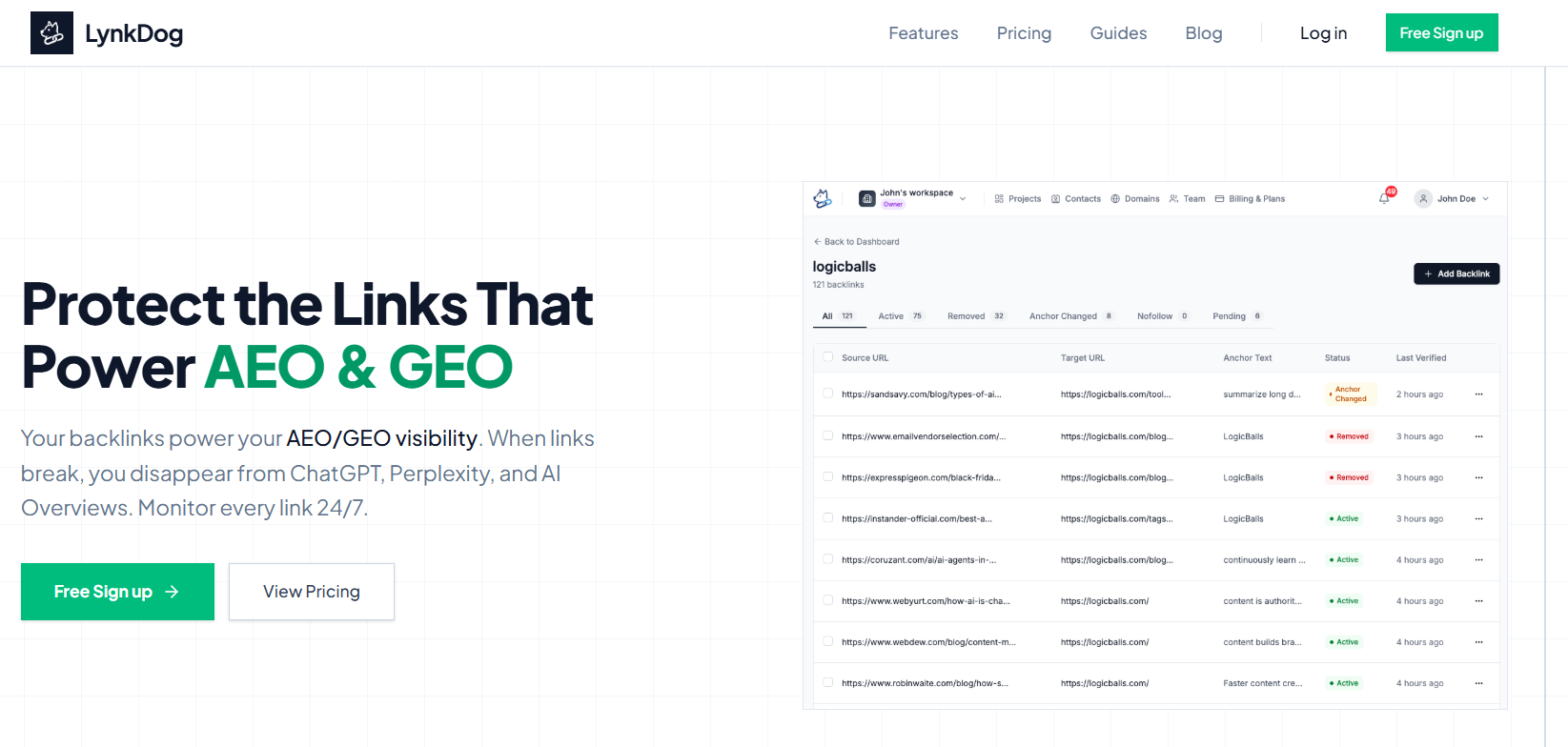
Cost: Free trial available at lynkdog.com
Best for: Actively monitoring paid links, directory submissions, and link exchanges
Strengths: Real-time alerts, dofollow/nofollow change detection, 200+ directory tracking, screenshot proof, purpose-built for link protection
Limitations: Not a full SEO platform focused on monitoring, not discovery
Verdict: The right tool if protecting your existing link investment is the priority. Especially powerful for teams tracking paid placements and directory submissions across multiple platforms.
Ubersuggest
Cost: Free (limited) / From $12/month
Best for: Absolute beginners on a tight budget
Strengths: Affordable, basic backlink overview
Limitations: Smaller database, limited monitoring features
Verdict: A starting point for very early stage websites. Upgrade as your link profile grows.
Frequently Asked Questions About Checking Backlinks Status
How often should I check my backlinks status?
For paid placements and high-value links, weekly monitoring is recommended or real-time alerts via a tool like LynkDog. For your full link profile, a monthly review is the minimum. Using an automated monitoring tool means you don't need to manually check at all alerts come to you.
Can I check backlinks status completely for free?
Yes, to a degree. Google Search Console is free and shows referring domains. Free tiers of Ahrefs and Moz give limited backlink data. For meaningful ongoing monitoring with real-time alerts especially for paid links and directory submissions a dedicated paid tool is necessary.
What is a healthy backlink live rate?
Aim for 90%+ of your intentionally built backlinks to be live at any given time. If you're consistently below 80%, you have a link attrition problem worth actively addressing. If you're not measuring it, you don't know where you are.
Does a nofollow backlink have any value at all?
A nofollow link does not pass traditional SEO link juice. However, nofollow links can still drive real referral traffic, improve brand visibility, contribute to a natural-looking link profile, and importantly in 2026 contribute to your brand's citation footprint in AI training data. They're not worthless, but they're worth less than dofollow links for ranking purposes.
What should I do when a backlink status shows a 301 redirect?
A 301 (permanent) redirect from the linking page passes the majority of link value (estimates range from 90–99%) to the destination. If the redirect eventually resolves to your site's correct page, the link is largely intact. If it resolves to a different site or a dead page, the link value is lost.
How do I check if the linking page is indexed in Google?
In Google, search: site:linkingdomain.com/specific-page-path. If the exact page appears in results, it's indexed. If nothing appears, the page may be deindexed. Note that very new pages may simply not be crawled yet give it 2–4 weeks before concluding a page is deindexed.
How long do I have to reclaim a lost backlink?
This varies by situation. For recently removed links, contact the publisher within 30 days for the best chance of success. After 60–90 days, content is often rewritten or archived and reclamation becomes much harder. This is why real-time alerts are so valuable they open a much wider reclamation window.
What is anchor text and why does it matter for my backlink status?
Anchor text is the visible, clickable words in a hyperlink. Search engines use anchor text to understand what topic a linked page is relevant for. If a link uses your target keyword as anchor text, it helps you rank for that keyword. If anchor text changes to something generic or unrelated, the link loses keyword relevance. Always monitor anchor text as part of backlink status not just whether a link exists.
Can I check competitor backlinks using the same tools?
Yes. Ahrefs, Semrush, Moz, and most other backlink tools allow you to analyze competitor domains. Monitoring competitor backlinks helps you identify link building opportunities, understand which publishers are active in your niche, and spot patterns in where strong links come from in your industry.
How does backlink status affect my visibility in ChatGPT and Perplexity?
LLMs learn from web data including which brands are consistently cited on authoritative sites. When your backlinks disappear or directory profiles go stale, you reduce the quantity and quality of signals that AI tools use to understand and recommend your brand. Monitoring backlink status is a core part of any AEO or GEO strategy in 2026.
Summary: Everything You Need to Remember
Let's bring this together into a clear action plan.
What you learned in this guide:
Backlinks are not permanent. They disappear, change attributes, and lose value often without any notification to you.
Status has multiple dimensions. Live/lost is just the start. Monitor dofollow/nofollow status, HTTP codes, anchor text, and index status of the linking page.
The cost of not monitoring is real. ~27% of paid backlinks disappear within 12 months. Lost links mean lost rankings and lost AI visibility.
Manual checking works at small scale. For fewer than 30 links, a manual process using browser inspection and GSC is manageable. Beyond that, you need a tool.
Google Search Console is free and essential. Use it for a baseline view of your link landscape but understand it's a snapshot, not a monitoring system.
Ahrefs and Semrush are powerful but broad. If you need a full SEO platform, they include backlink monitoring. If monitoring is your primary need, they're expensive and not purpose-built for it.
LynkDog is built for exactly this problem. Real-time alerts, dofollow/nofollow change detection, 200+ directory tracking, and screenshot proof all in one dedicated backlink monitoring dashboard.
In 2026, backlink status affects AI visibility. Every link is a citation signal to LLMs. Protecting your link profile is now brand protection for the AEO and GEO era.
Your action plan this week:
Set up Google Search Console if you haven't already
Export a list of all backlinks you've actively built
Identify your top 20 most valuable links (paid placements, highest DR, directories)
Manually verify those top 20 links are live and dofollow
Sign up for LynkDog to automate monitoring going forward
Set up instant alerts for your highest-value links
Start Protecting Your Backlinks Today
You've built links. You've invested time and money into your off-page SEO strategy. Don't let that investment quietly disappear while you're focused on building the next one.
LynkDog is the backlink watchdog built for modern marketing teams monitoring every paid placement, directory submission, and link exchange 24/7, and alerting you the instant anything changes.
In the age of AEO and GEO, every citation counts. Your backlinks have a bodyguard. 🐕
👉 Try LynkDog free at lynkdog.com